 How-to
Paragraph Summarizer: Shorten Any Paragraph with AI in Chrome
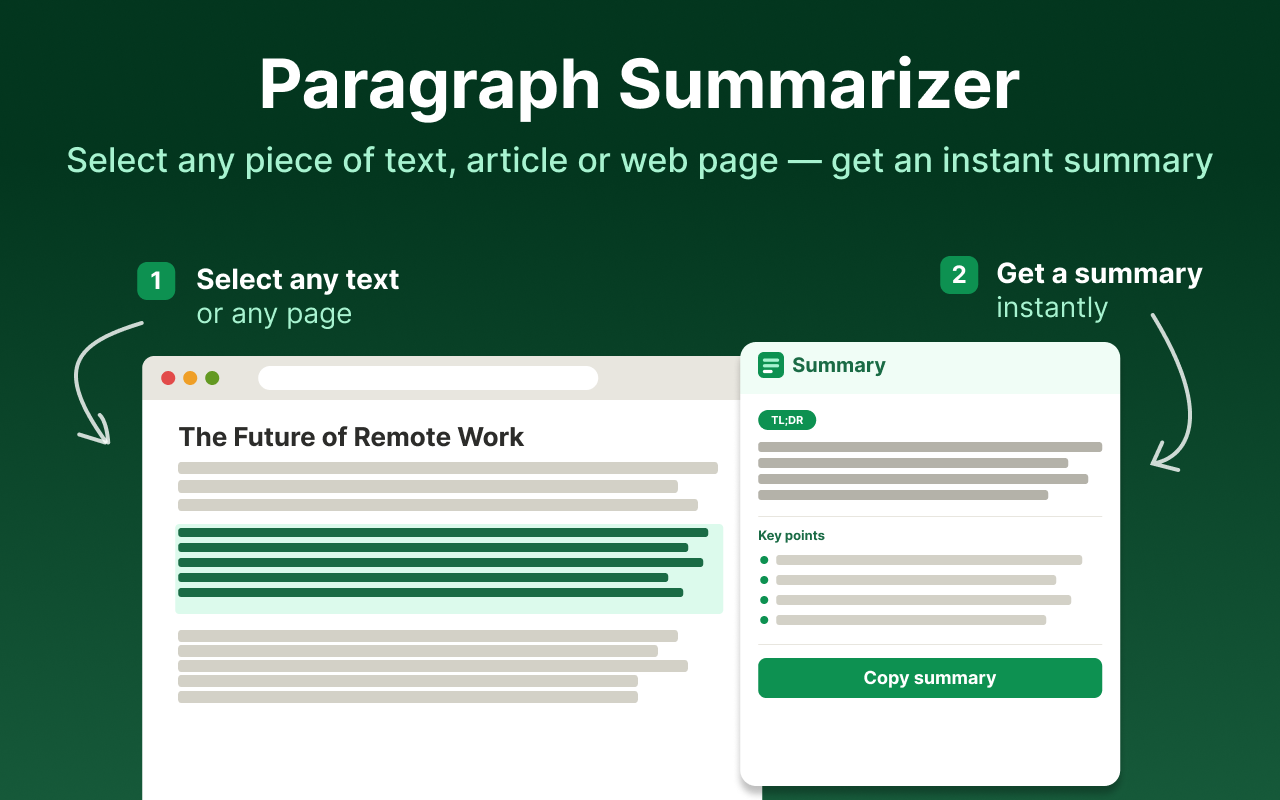
Some paragraphs take a minute to read and a second to understand. Paragraph Summarizer is an AI Chrome extension that gets you to that second faster: select a paragraph, run the extension, and get a short version that keeps the point and drops the filler.
Most online summarizers make you copy text, open another tab, paste it, and wait. Paragraph Summarizer works on the page you are already reading, in a side panel next to the original text.
What Paragraph Summarizer does
- Summarizes selected text. Highlight one paragraph, a quote, or a section and get a condensed version of only that part.
- Summarizes full pages. Click the icon on any article to get the gist of the whole page.
- Lets you pick the length and format. Ask for a single sentence, a short paragraph, or a more detailed overview.
- Works from the right-click menu. Summarize without hunting for the toolbar icon.
- Keeps you on the page. The summary opens in a side panel, so the original text stays in view for checking details.
How to summarize a paragraph in three steps
- Install Paragraph Summarizer from the Chrome Web Store and pin it to your toolbar.
- Highlight the paragraph you want to shorten.
- Click the extension icon or choose it from the right-click menu. The summary appears in the side panel.
For a more detailed walkthrough, see how to summarize a paragraph in Chrome.
When a paragraph summarizer helps
- Studying. Reduce dense textbook or Wikipedia paragraphs to the idea you need for your notes.
- Research. Check whether a section of a paper or report is relevant before reading it in full.
- Work. Get the point of long emails, documentation, support threads, and policy text opened in the browser.
- News and blogs. Skim several sources on the same topic and keep only what is new in each.
Tips for better paragraph summaries
Select complete thoughts
Include the whole paragraph, not half of it. A summary is only as good as the context it gets: a sentence cut in the middle often loses the subject or the conclusion.
Match the length to the job
Use a one-sentence summary to decide whether something is worth reading. Use a longer summary when you plan to quote or take notes from it.
Check numbers, names, and quotes
AI summaries are good at the main idea. For figures, dates, and exact wording, glance back at the original paragraph, which stays open next to the side panel.
Paragraph Summarizer vs. copy-paste summarizer websites
Website-based summarizers work, but every summary costs you a tab switch and a copy-paste. Paragraph Summarizer runs inside Chrome, so the loop is select, click, read. That matters most when you summarize many short pieces in a row, which is how most people actually read online.
Get started
Frequently asked questions
What is a paragraph summarizer?
A paragraph summarizer is a tool that rewrites a long paragraph into a shorter version that keeps the main idea and the key details. Paragraph Summarizer does this with AI directly in Chrome, so you don't have to copy text into a separate website.
Can I summarize only part of a page?
Yes. Highlight the paragraph or section you need and run the extension. Only the selected text is summarized, which is useful when one section of a long page matters.
Can I summarize a whole web page too?
Yes. Click the extension icon without selecting anything and Paragraph Summarizer condenses the entire article or page.
Can I control how long the summary is?
Yes. You can choose the length and format of the result, from a one-paragraph gist to a more detailed overview.
What kind of text does it work with?
It works with text-heavy pages in Chrome: news articles, blog posts, journals, Wikipedia, tutorials, documentation, and PDFs opened in the browser.